
Airbnb hosts need a smart lock that makes guest access dependable without creating installation headaches, security gaps, or extra trips to the property. The strongest options differ in security grade, remote code management, compatibility with existing hardware, smart-home integrations, and total cost, so the right choice depends on whether you prioritize a premium all-in-one deadbolt, a simple retrofit, flexible configurations, or a lower-cost setup.
The best WiFi locks for Airbnbs are:
- Schlage Encode Plus™ Wi-Fi Deadbolt: Best overall: built-in Wi-Fi, ANSI Grade 1 security, and the most complete remote code-management feature set.
- August Wi-Fi Smart Lock (4th Gen): Best for easy installation: retrofits over a compatible existing deadbolt while preserving the exterior hardware and original keys.
- Yale Assure Lock 2: Best for flexible configurations: modular connectivity plus touchscreen, keypad, keyed, and key-free options.
- Wyze Lock Bolt: Best budget option: an affordable fingerprint-and-keypad lock for single-property hosts who can add the gateway for remote Wi-Fi access.
The 4 Best Wifi Locks for Airbnb & Short Term Rentals
Checkmate host shortlist
Four Wi-Fi locks for Airbnb rentals
Compare four connected locks for remote code management, retrofit installation, flexible access, and budget-friendly hosting.
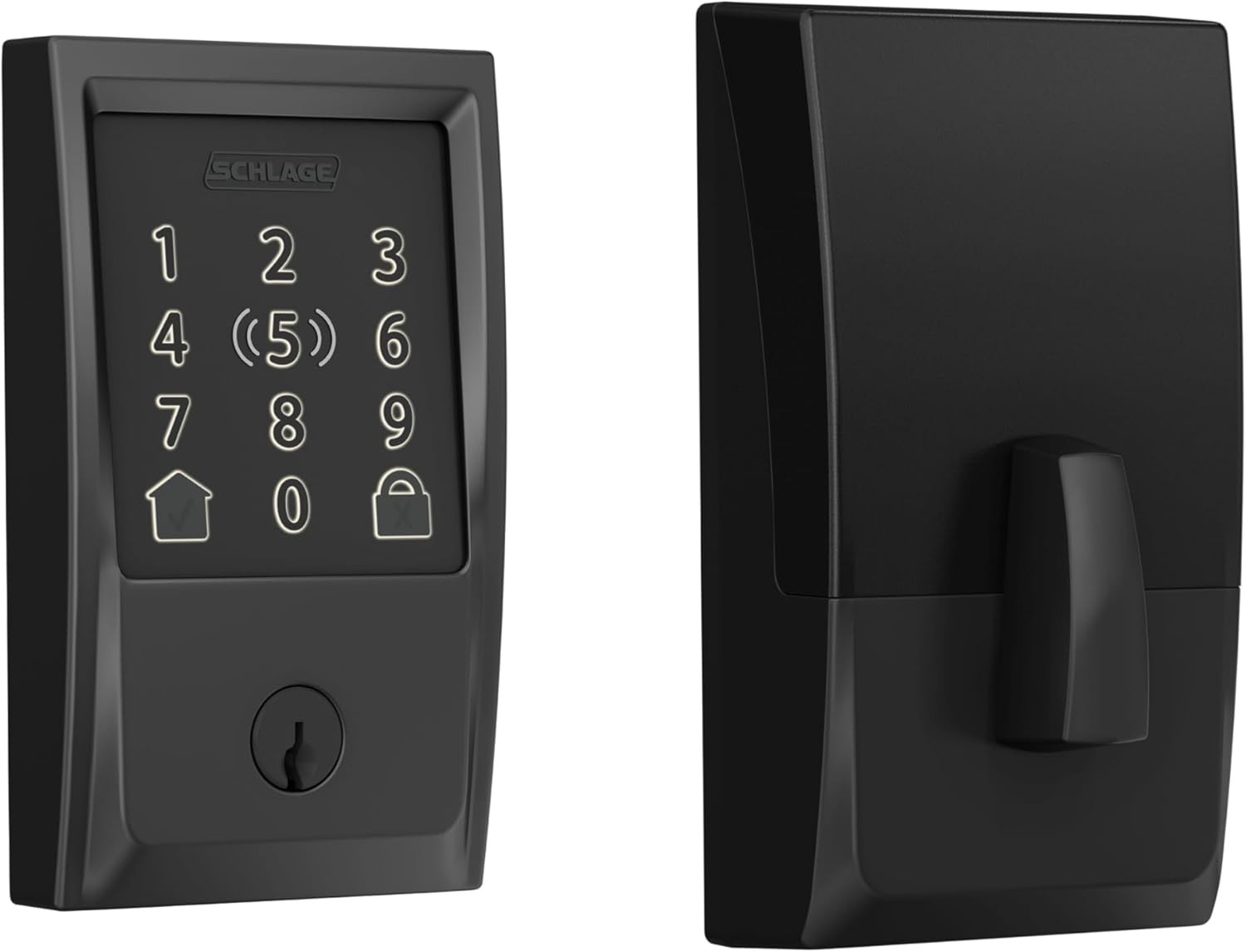 Schlage Encode Plus Wi-Fi Deadbolt
Best for Complete Remote Access
Checked Aug 13, 2026$319.00Buy It Now on Amazon
Best Retrofit
Schlage Encode Plus Wi-Fi Deadbolt
Best for Complete Remote Access
Checked Aug 13, 2026$319.00Buy It Now on Amazon
Best Retrofit
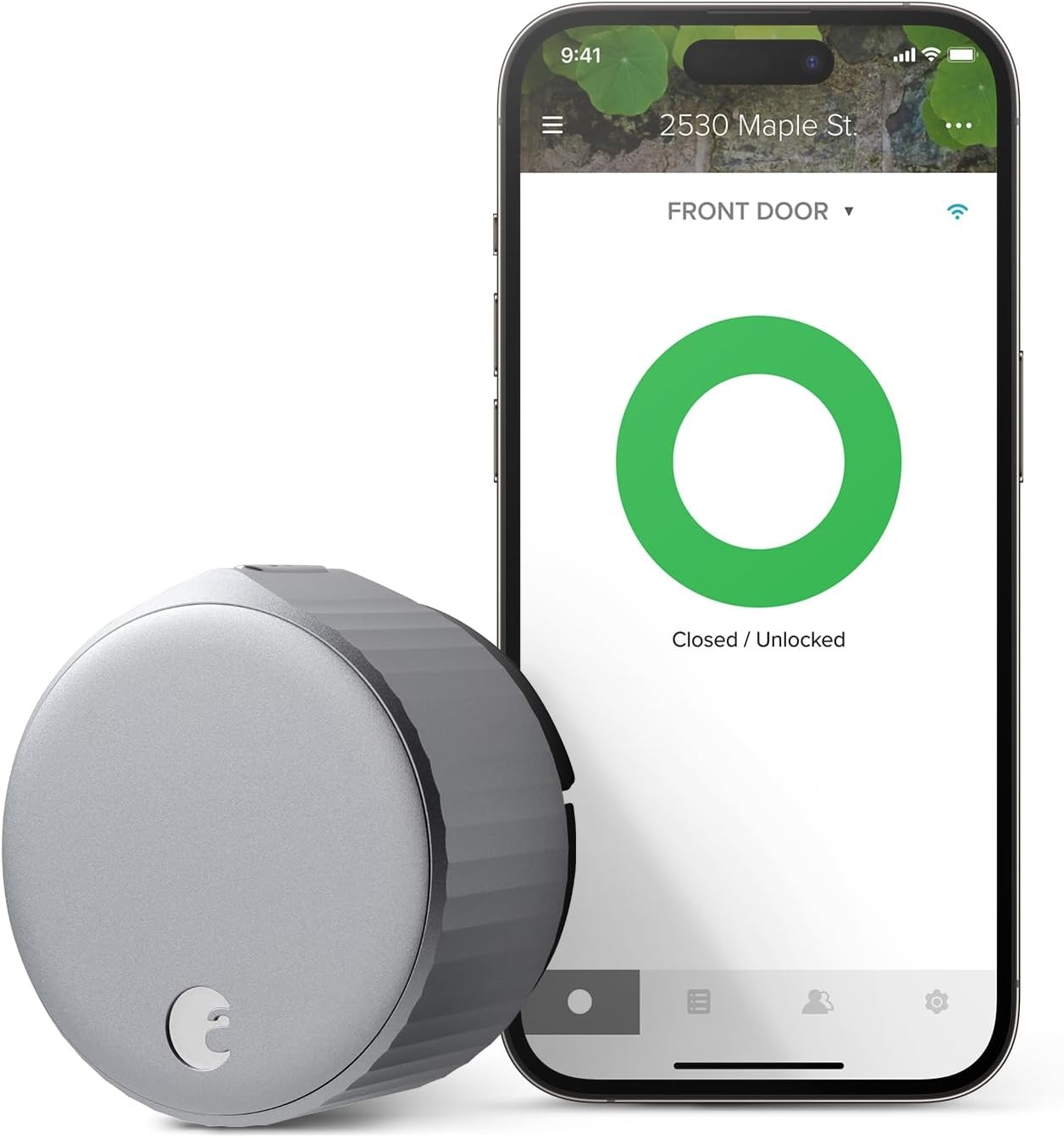 August Wi-Fi Smart Lock (4th Gen)
Best for Existing Keys
Checked Aug 13, 2026Check current priceBuy It Now on Amazon
Best Versatility
August Wi-Fi Smart Lock (4th Gen)
Best for Existing Keys
Checked Aug 13, 2026Check current priceBuy It Now on Amazon
Best Versatility
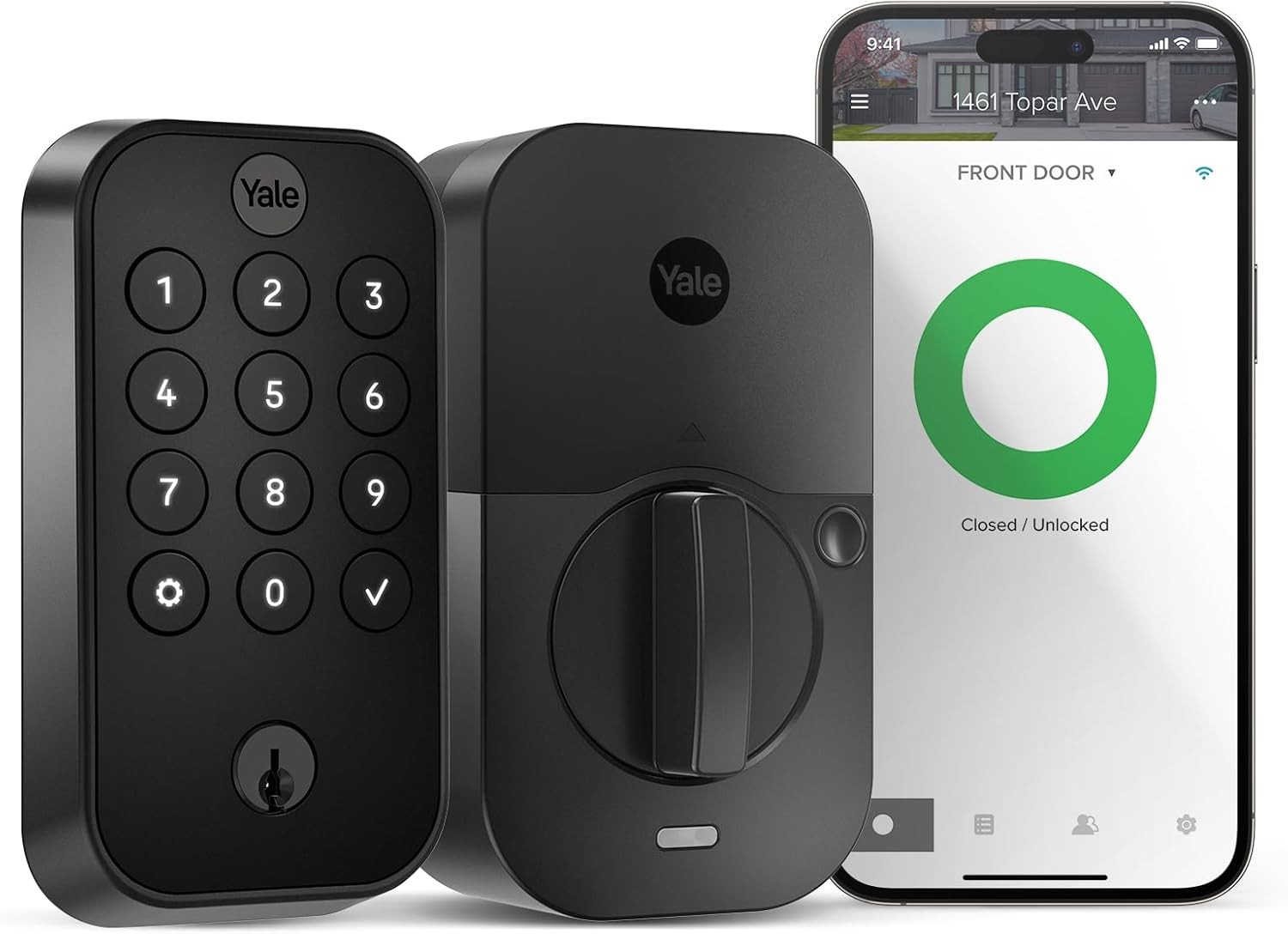 Yale Assure Lock 2
Best for Flexible Access
Checked Aug 13, 2026$169.99Buy It Now on Amazon
Best Budget Pick
Yale Assure Lock 2
Best for Flexible Access
Checked Aug 13, 2026$169.99Buy It Now on Amazon
Best Budget Pick
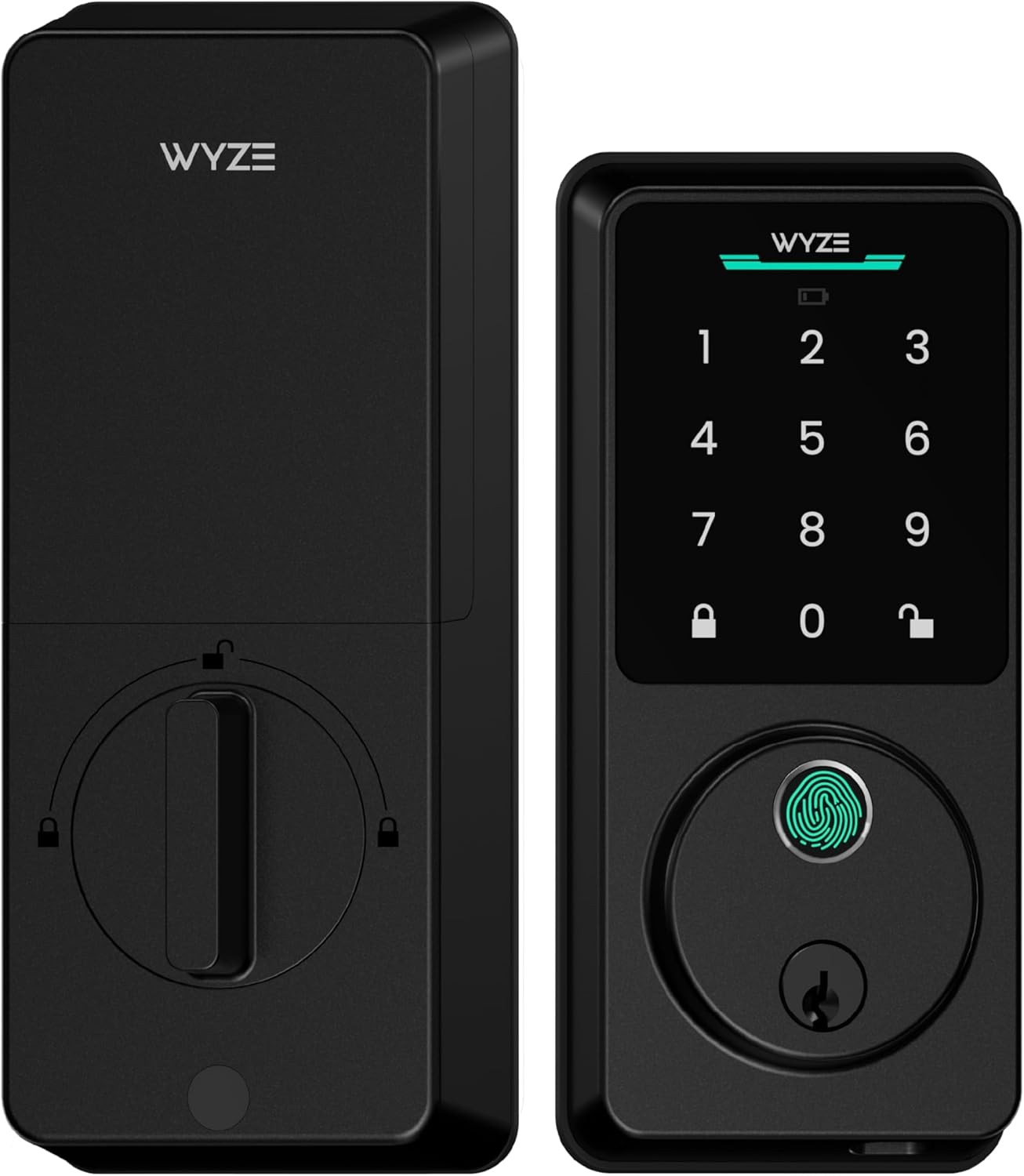 Wyze Lock Bolt v2
Best for Budget Hosts
Checked Aug 13, 2026$79.00Buy It Now on Amazon
Wyze Lock Bolt v2
Best for Budget Hosts
Checked Aug 13, 2026$79.00Buy It Now on Amazon
Product details and available prices were refreshed through Amazon Creators API on Aug 13, 2026. Prices and availability may change. As an Amazon Associate, Checkmate may earn from qualifying purchases.
We've evaluated the market based on the essential features. Here are our top picks for the best smart lock for short-term rental hosts.
1. Schlage Encode Plus™ Wi-Fi Deadbolt
Overview: The Schlage Encode Plus is the gold standard among code locks for short-term rentals. It has built-in Wi-Fi and impressive features, and it's built on Schlage's century-long security reputation. The latest Plus model adds Apple Home Key functionality, allowing iPhone and Apple Watch users to tap their device to unlock – a premium feature that tech-savvy guests appreciate.
Pros:
- Built-in Wi-Fi connectivity (no hub required)
- Outstanding app with intuitive code management
- ANSI Grade 1 security rating (highest)
- Integrates with Airbnb and Amazon Key
- Sleek, modern design with multiple finish options
- Backup for emergencies
Cons:
- Premium price point ($299-$349)
- Bulkier than some competitors
- The battery life is good (6-8 months) but not class-leading.
- iPhone or Apple Watch is required for Apple Home Key.
Best For: Hosts who want the most reliable, feature-complete, and secure wifi deadbolt and are willing to invest in a top-tier product. For more options, see our comprehensive smart lock guide.
2. August Wi-Fi Smart Lock (4th Gen)
Overview: The August Wi-Fi Smart Lock takes a different approach to smart access. Instead of replacing your deadbolt, it retrofits over the interior of your existing deadbolt, allowing you to keep your original keys and exterior hardware. This makes installation simple, often under 15 minutes with just a screwdriver. Despite its compact size, it packs built-in Wi-Fi and a robust feature set, making it an excellent choice among keyless door lock systems.
Pros:
- Extremely simple installation with no exterior door.
- Keeps your existing keys and hardware for consistent aesthetics.
- Wi-Fi built-in
- DoorSense™ technology detects if your door is closed and locked.
- Smaller design than previous generations
- Strong integration options with major platforms
Cons:
- The entire mechanism is visible on the door’s interior side.
- Relies on your existing deadbolt
- Requires a compatible deadbolt (most standard ones are)
- Battery life averages 3-6 months depending on usage.
Best For: Hosts who want easy installation, want to keep their existing keys, or are renting and can't change the exterior lock hardware.
3. Yale Assure Lock 2
Overview: The Yale Assure Lock 2 is the versatile chameleon of the smart lock world. Its modular design allows you to choose between different connectivity options via swappable modules, including Wi-Fi, Z-Wave, or Matter protocols. This flexibility extends to the physical design, with options for touchscreen or keypad, and keyed or key-free versions. It's slimmer than previous Yale models and maintains the brand's reputation for reliability.
Pros:
- Highly customizable to your needs
- Slim, modern design with multiple finish options
- Available in key-free versions for maximum security
- Compatible with various smart home ecosystems
- Straightforward installation
- Auto-unlock feature based on proximity
Cons:
- If you don't buy the bundle, the Wi-Fi module is a separate purchase.
- Performance varies by module choice.
- Key-free versions don't offer a physical backup option.
- More complex initial setup due to modularity
Best For: Hosts who value design flexibility and want a custom solution for their door and smart home setup.
4. Wyze Lock Bolt
Overview: The Wyze Lock Bolt offers impressive functionality at an affordable price. This budget-friendly option includes a fingerprint reader for instant access and a backlit keypad for guest codes. Important note: The Lock Bolt uses Bluetooth for direct connectivity, which works well nearby. For remote Wi-Fi access, it requires the separate Wyze Lock Gateway (hub), which bridges the Bluetooth connection to your Wi-Fi network. This component is essential for managing the lock remotely.
Pros:
- Extremely affordable price (under $100)
- Fast fingerprint reader, perfect for owner and cleaner access
- Clean and minimalist design
- Auto-lock functionality
- Backlit keypad for night access
- Simple app that is user friendly
Cons:
- Requires a separate hub (Wyze Lock Gateway) for remote Wi-Fi access.
- No native Airbnb integration
- Lower ANSI security rating than premium models
- Limited smart home integrations
- Battery life is reasonable but not exceptional.
Best For: Budget-conscious hosts with a single property who are willing to buy a separate gateway for full remote access lock for vacation rental functionality.
Why a Wifi Lock is Essential for Modern STR Hosts
Upgrading to a smart lock isn't just a convenience; it's a strategic investment in your property's efficiency, security, and profitability. Here's why a dedicated Airbnb smart lock is essential:
- Streamline Guest Check-In: Automated check-in eliminates in-person key handoffs, delighting guests with 24/7 arrival flexibility while saving you coordination and travel time. Guests can arrive at their convenience, and you can manage everything remotely.
- Enhance Property Security: Unique, time-sensitive codes for each guest, cleaner, and maintenance worker are more secure than physical keys that can be copied, lost, or stolen. Most smart locks also provide detailed activity logs to monitor property access, becoming a crucial component of your overall property security.
- Simplify Operational Management: Need to grant temporary access to a plumber or cleaning crew? With a wifi lock, you can create a temporary code in seconds from anywhere. No more driving to the property or coordinating complicated key exchanges.
- Boost Guest Experience & Reviews: Smart locks have evolved from a novelty to an expected amenity for many travelers. Guests appreciate the modern, seamless keyless entry experience, leading to better reviews, higher rankings, and more bookings. This technology forms the foundation for automating other aspects of the guest experience.
7 Key Features of the Best Wifi Lock for Airbnb
Not all smart locks are equal for Short-Term Rentals (STR). Before you buy, evaluate these seven critical features to ensure you get the right tool.
1. Direct Wi-Fi Connectivity (No Hub Required)
Smart locks connect to the internet in two ways. They can connect directly via built-in Wi-Fi or through a separate hub or bridge device. Wi-Fi locks connect directly to your router for straightforward setup and management. Others use Bluetooth or Z-Wave technology and require a separate plug-in bridge or hub to connect to the internet.
Recommendation: For simplicity and reliability in a rental setting, a lock with integrated Wi-Fi is the superior choice. It means one less device to install and maintain, and fewer potential points of failure. While hub-based locks can offer benefits like longer battery life, the operational simplicity of direct Wi-Fi typically outweighs these advantages for most hosts.
2. Remote Code Management
The most critical feature for any Airbnb host is the lock's app. It must allow you to create, delete, and schedule unique access codes from anywhere, at any time. Look for a system that differentiates between permanent codes (for you and co-hosts), temporary codes (for guests), and recurring codes (for cleaning staff needing access on specific days and times).
The best systems let you set precise start and end times for each code, ensuring guests can only access the property during their confirmed stay. This granular control makes keyless entry superior to physical keys for rental property management.
3. PMS & Booking Platform Integration
A Property Management System (PMS) helps manage bookings, guest communications, cleaning schedules, and more. Smart locks integrate with Airbnb, VRBO, and PMS software (like Guesty, Hostaway, or Lodgify) to automatically generate and send a unique door code to a guest upon booking confirmation.
This integration is the gold standard for automated check-in, as it removes you from the process. When a guest books, the system generates a code valid only for their stay dates, sends instructions, and deactivates the code upon checkout, all without manual intervention.
4. Battery Life and Low-Battery Alerts
Nothing ruins a guest experience faster than arriving at your property to find a dead smart lock. Look for locks with at least 6-12 months of battery life under normal usage. More importantly, the lock must send push notifications when the batteries are low.
The best locks offer emergency backup options, like a 9V battery terminal (for guests to temporarily power a dead lock) or a hidden physical key override. These options make a difference between a minor inconvenience and a major crisis.
5. Durability and Weather Resistance
Your smart lock needs to withstand the elements, especially if the door isn’t covered by an awning or porch. Look for locks with appropriate IP ratings for water and dust resistance, and check the operating temperature range if your property experiences extreme weather.
Security ratings are important. The American National Standards Institute (ANSI) and Builders Hardware Manufacturers Association (BHMA) rate locks from Grade 3 (basic security) to Grade 1 (highest security). For rental properties, aim for at least Grade 2, with Grade 1 being ideal for high-traffic or urban properties.
6. Auto-Lock Functionality
An auto-lock feature secures the door after a set period (usually 30 seconds to 5 minutes). This prevents guests or cleaning staff from forgetting to lock up, providing peace of mind for you and your guests.
The best locks let you customize or disable the auto-lock timing during certain hours. Some advanced models include door sensors that alert you if the door is left ajar, adding security and operational awareness.
7. A Reliable Physical Keypad
While app access is convenient, a physical keypad is essential for guest entry. Not all guests will want to download an app for a short stay, and relying on smartphone access alone creates potential problems with battery life, connectivity, or compatibility.
When evaluating keypads, consider if you prefer a touchscreen or physical buttons. Touchscreens offer a sleeker appearance but may be harder to use in very cold weather (with gloves) or bright sunlight. Physical buttons provide tactile feedback and work in all conditions but may wear over time, revealing commonly used digits.
FAQ
What if the Wi-Fi or power goes out?
Smart locks work during Wi-Fi outages or power failures. The keypad and Bluetooth still function independently of Wi-Fi. Access codes are stored locally, so guests can enter using their assigned code. The only limitation is that you can't manage the lock remotely until connectivity is restored.
Most quality locks offer backup entry methods. Depending on the model, this includes a physical key override, a 9V battery jump-start option, or extended battery life to minimize complete power loss risk.
Do I need a locksmith to install a smart lock?
In most cases, no. Most smart locks are designed for DIY installation and require only a screwdriver and 15-30 minutes. They're engineered to fit standard US door preparations.
If your door has an unusual configuration or you're not comfortable with the installation, a locksmith or handyman can complete the job quickly. Some property managers offer smart lock installation. The exception is if your door needs modification to accommodate a smart lock, which might require professional assistance.
Are key-free smart locks more secure?
Yes, in theory. Key-free smart locks eliminate the vulnerabilities of traditional locks, including pick attacks, bump keys, and copied keys. Without a keyhole, there's nothing to pick or manipulate, making these locks more secure against certain breaches.
Conclusion
Finding the best wifi lock for Airbnb properties is not just a convenience upgrade. It's a business decision that pays for itself through time savings, improved security, and happier guests. The right smart lock eliminates the headaches of physical key management and door knob selection while giving you control over property access. Focus on the core features that deliver the most value: reliable remote code management, direct Wi-Fi connectivity, and proven durability.
By choosing a lock from this list, you're not just buying hardware. You're upgrading your hosting operation. You're building a more secure, efficient, and profitable business, one automated check-in at a time. Your guests will appreciate the convenience, your operations will run more smoothly, and you'll wonder how you managed without this essential tool.