Airbnb code locks remove key handoffs and lockout risk while giving hosts tighter control over guest, cleaner, and maintenance access. We compared connectivity, remote code management, battery life, security grade, installation, compatibility, and backup access to identify dependable smart locks for short-term rentals.
The best code locks for Airbnbs are:
- Schlage Encode Smart Wi-Fi Deadbolt: Best Overall
- August Wi-Fi Smart Lock (4th Gen): Best for Easy Installation
- Yale Assure Lock 2: Best for Design Versatility
- Wyze Lock Bolt: Best Budget Option
- U-tec Ultraloq U-Bolt Pro Wi-Fi: Best for Multiple Access Methods
The 5 Best Code Locks for Airbnbs and Short Term Rentals
Checkmate host shortlist
Five code locks for Airbnb rentals
Compare five smart locks for remote access, guest-code management, and rental turnover.
 Schlage Encode Smart Wi-Fi Deadbolt
Best Overall
Checked Aug 13, 2026$229.00Buy It Now on Amazon
Best Retrofit
Schlage Encode Smart Wi-Fi Deadbolt
Best Overall
Checked Aug 13, 2026$229.00Buy It Now on Amazon
Best Retrofit
 August Wi-Fi Smart Lock (4th Gen)
Best Retrofit
Checked Aug 13, 2026Check current priceBuy It Now on Amazon
Best Keypad
August Wi-Fi Smart Lock (4th Gen)
Best Retrofit
Checked Aug 13, 2026Check current priceBuy It Now on Amazon
Best Keypad
 Yale Assure Lock 2
Best Keypad
Checked Aug 13, 2026$169.99Buy It Now on Amazon
Best Fingerprint
Yale Assure Lock 2
Best Keypad
Checked Aug 13, 2026$169.99Buy It Now on Amazon
Best Fingerprint
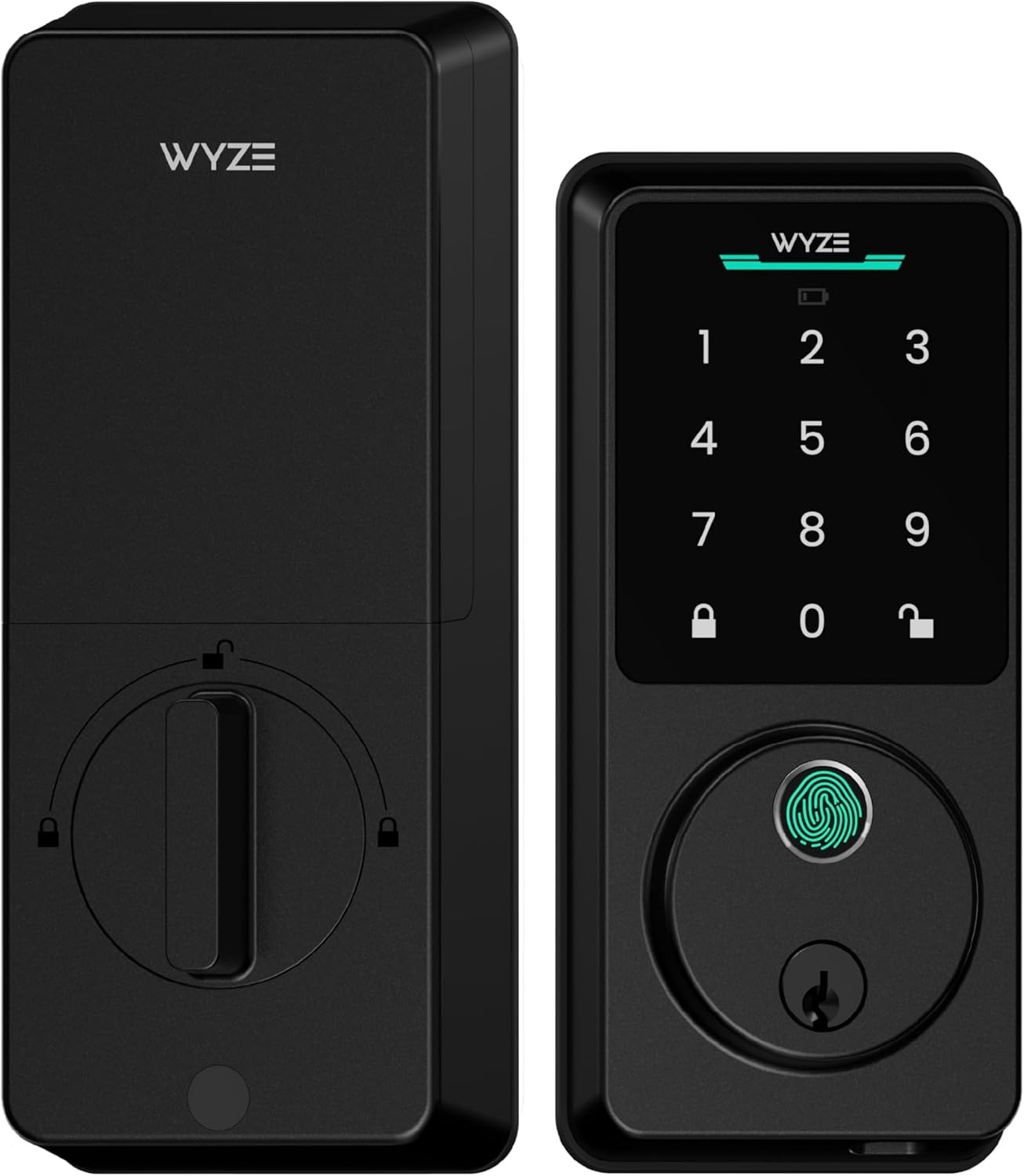 Wyze Lock Bolt
Best Fingerprint
Checked Aug 13, 2026$79.00Buy It Now on Amazon
Best Feature Set
Wyze Lock Bolt
Best Fingerprint
Checked Aug 13, 2026$79.00Buy It Now on Amazon
Best Feature Set
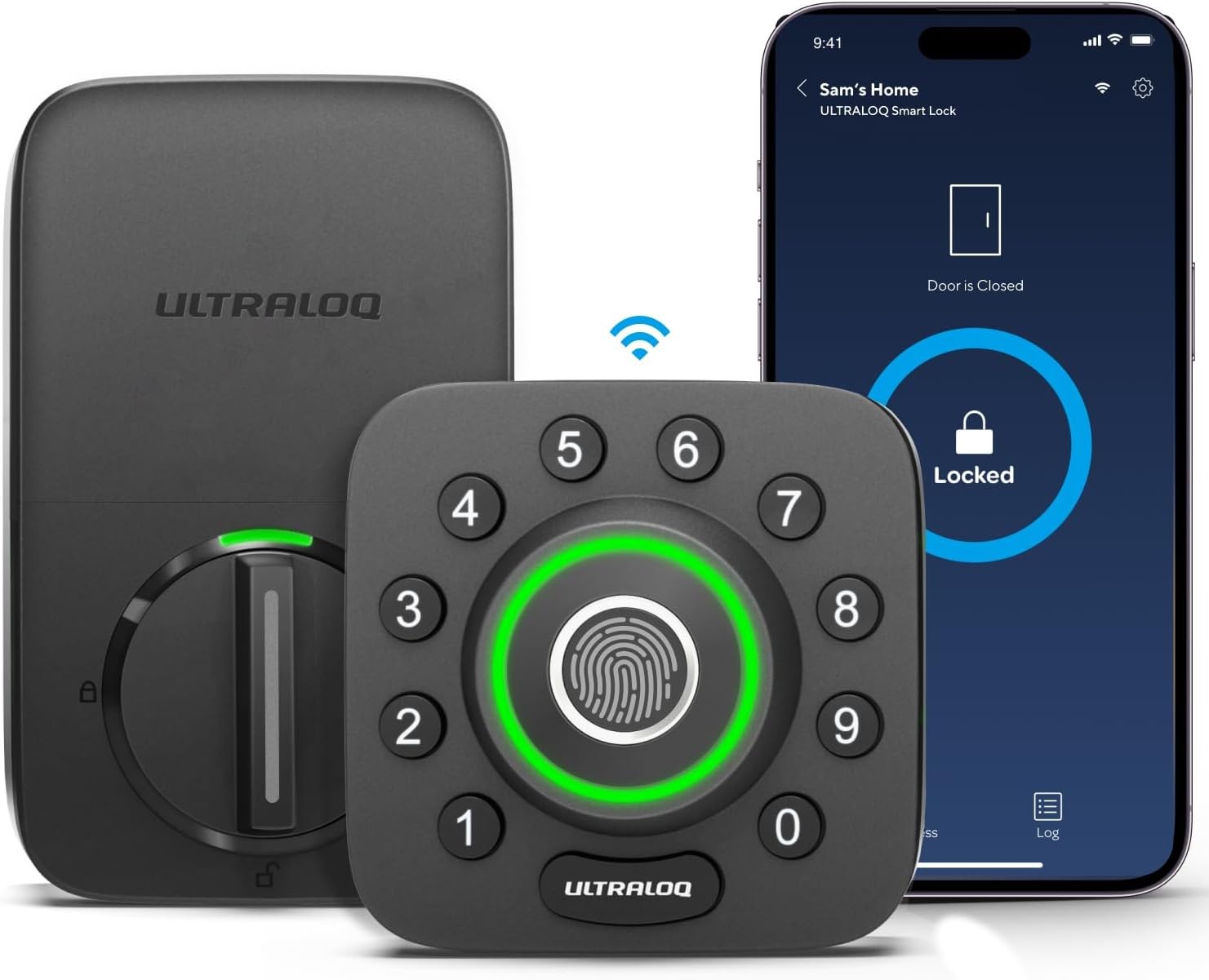 U-tec Ultraloq U-Bolt Pro Wi-Fi
Best Feature Set
Checked Aug 13, 2026$129.97Buy It Now on Amazon
U-tec Ultraloq U-Bolt Pro Wi-Fi
Best Feature Set
Checked Aug 13, 2026$129.97Buy It Now on Amazon
Product details and available prices were refreshed through Amazon Creators API on Aug 13, 2026. Prices and availability may change. As an Amazon Associate, Checkmate may earn from qualifying purchases.
After evaluating dozens of models based on the critical features, I have identified these five locks as the best options for short-term rental hosts, though WiFi locks for rental properties offer an alternative connectivity approach worth considering.
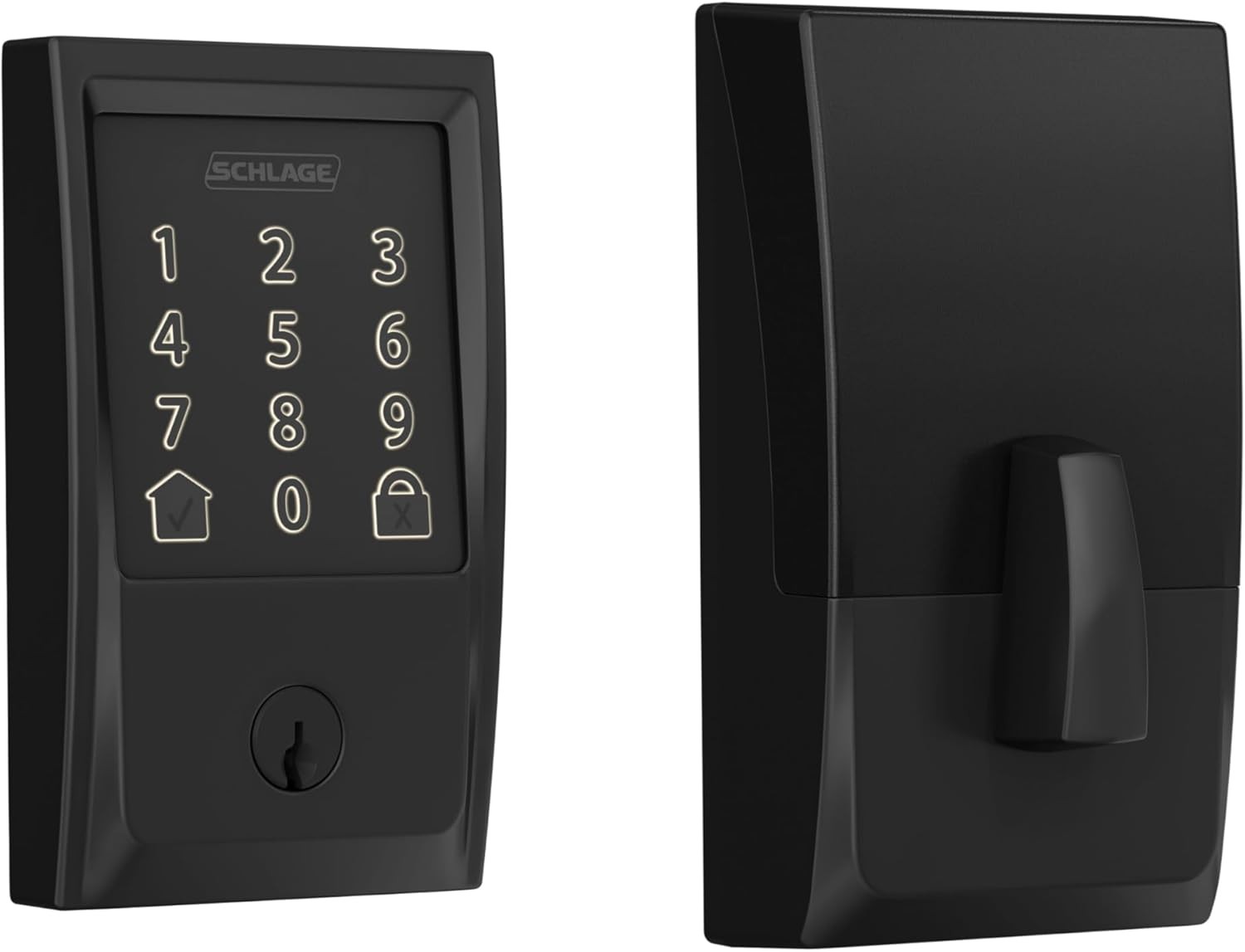
1. Schlage Encode Smart Wi-Fi Deadbolt
Best For: Overall Performance and Reliability
- Connectivity: Built-in Wi-Fi
- Power: 4 AA Batteries (6 months)
- ANSI/BHMA Grade: Grade 1
- Keypad: Fingerprint-resistant Touchscreen
- Physical Key: Yes
Pros:
- Built-in Wi-Fi means no additional hubs or bridges are required.
- Commercial-grade (ANSI Grade 1) durability stands up to frequent use.
- Stores up to 100 unique access codes
- An intuitive, user-friendly app for hosts and guests
- Consistent, reliable connectivity with fewer issues than competitors
- Well-documented Schlage Encode Airbnb setups make troubleshooting easy.
Cons:
- Traditional aesthetics may not suit ultra-modern properties.
- Premium pricing ($249-$299)
- Compared to minimalist competitors, the design is bulkier.
The Schlage Encode is the gold standard for vacation rental hosts due to its reliability and straightforward operation. As a remote access lock, it allows management from anywhere with an internet connection. The fingerprint-resistant touchscreen remains legible with heavy use, and the Grade 1 security rating provides peace of mind for hosts and guests. For hosts comparing different keyless entry systems for Airbnb, the Encode consistently ranks as a top choice.
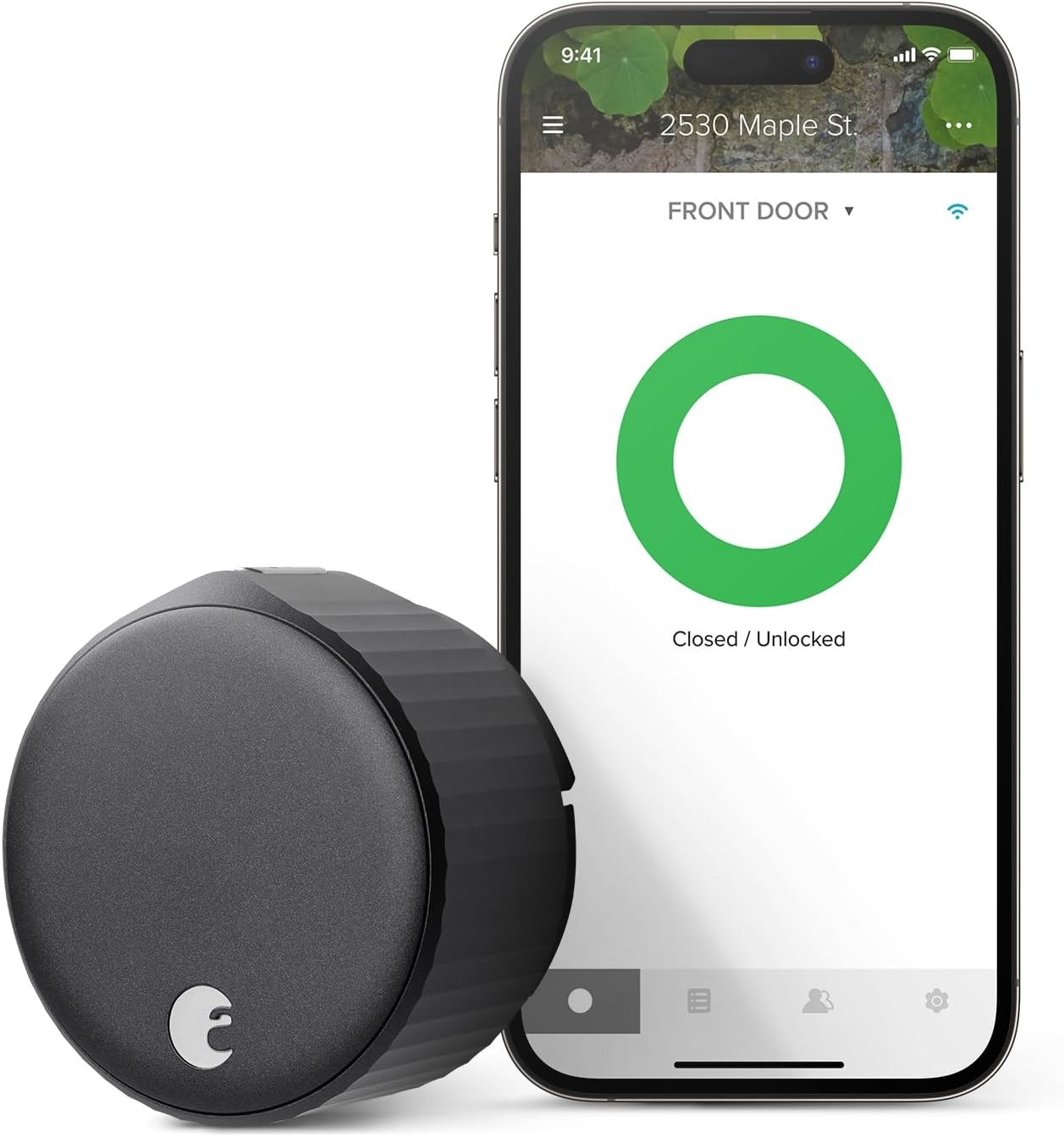
2. August Wi-Fi Smart Lock (4th Gen)
Best For: Easiest Installation & Keeping Your Existing Keys
- Connectivity: Built-in Wi-Fi
- Power: 2 CR123 Batteries (3-6 months)
- ANSI/BHMA Grade: N/A (Uses existing deadbolt)
- Keypad: None (Sold separately as August Keypad)
- Physical Key: Yes (Your original key)
Pros:
- Retrofit your existing deadbolt in minutes (keep your original keys)
- The smallest and most discreet design on the market.
- The Auto-Unlock feature uses geofencing to unlock as you approach.
- DoorSense technology confirms when your door is fully closed and locked.
- August locks for Airbnb installations are among the fastest, typically under 15 minutes.
Cons:
- Requires a separate August Keypad for guest code entry ($60-80 extra)
- CR123 batteries are less common than AA.
- Shorter battery life, especially with heavy Wi-Fi usage.
- May not fit all deadbolt brands (verify compatibility before purchase)
The August Wi-Fi Smart Lock is perfect for hosts wanting flexibility with minimal door modification. It only replaces the interior thumb-turn of your existing deadbolt, ideal for maintaining your door's exterior appearance or for renters with landlord restrictions. The sleek design is the most discreet among the best smart locks for Airbnb, and the keypad is a must-have separate purchase for vacation rental use.
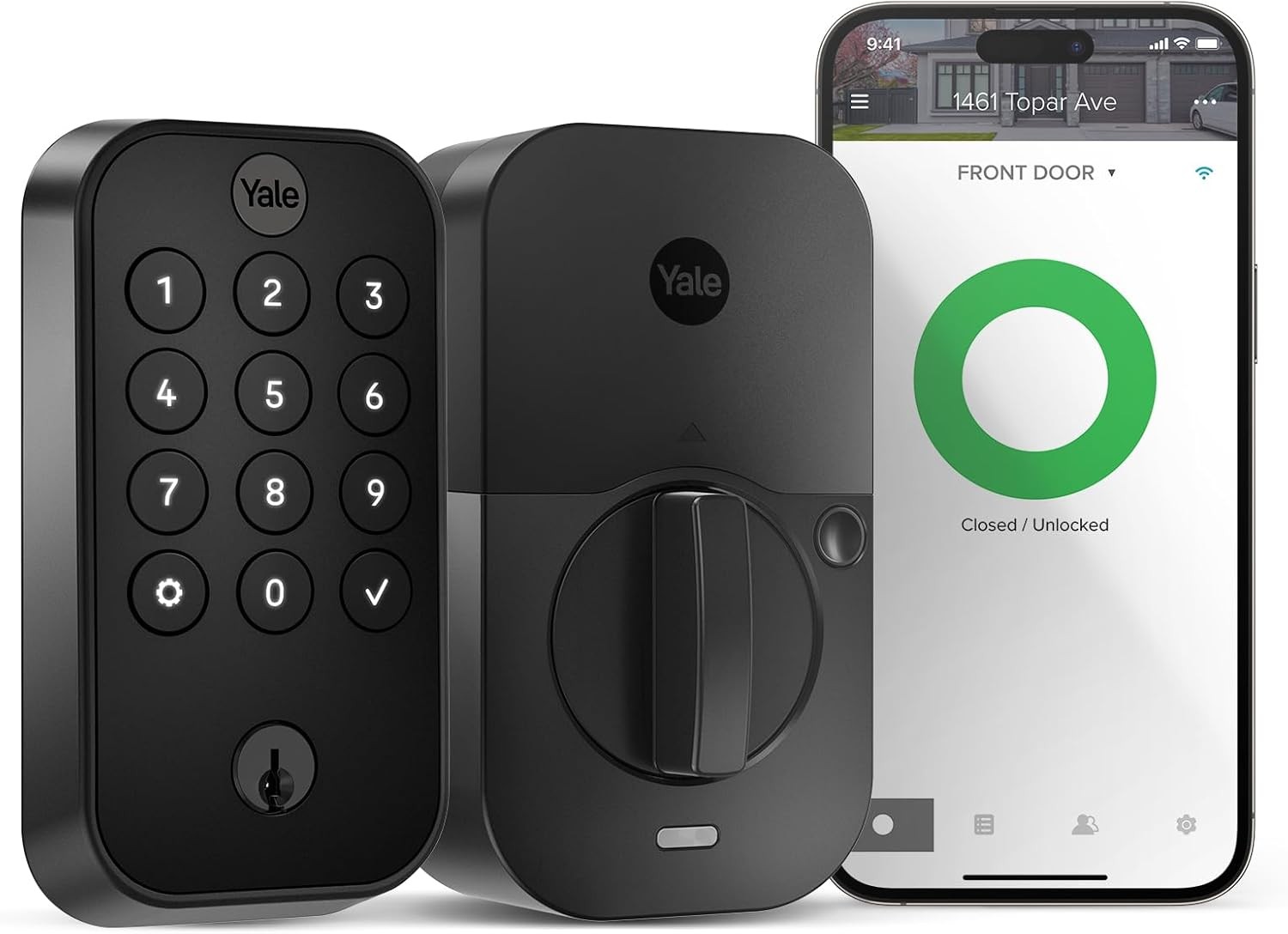
3. Yale Assure Lock 2
Best For: Design Versatility and Smart Module System
- Connectivity: Bluetooth (Wi-Fi module sold separately/included in some bundles)
- Power: 4 AA Batteries (12 months)
- ANSI/BHMA Grade: Grade 2
- Keypad: Touchscreen or Physical Keypad options
- Physical Key: Key-free and keyed versions available
Pros:
- Sleek, modern design with multiple finish options
- Modular connectivity allows future upgrades without replacing the entire lock.
- Excellent compatibility with major smart home platforms
- Longer battery life than competitors
- Available in touchscreen and physical button versions
Cons:
- The base model is Bluetooth-only. The Wi-Fi module is a separate purchase.
- Smaller code capacity (25 unique codes) than Schlage
- The mobile app is less intuitive than competitors.
Yale's Assure Lock 2 offers flexibility through its modular design. You can start with the affordable Bluetooth version and upgrade to Wi-Fi later by inserting a different module, no tools required. This makes it an excellent choice for hosts wanting different connectivity options for different properties or planning to integrate with a smart home system alongside other keyless door lock options.
4. Wyze Lock Bolt
Best For: Best Budget Option
- Connectivity: Bluetooth
- Power: 4 AA Batteries (12 months)
- ANSI/BHMA Grade: Not officially rated
- Keypad: Backlit physical keypad + Fingerprint scanner
- Physical Key: No
Pros:
- Significantly lower price point ($70-$100)
- Fingerprint scanner provides quick access for owners and staff.
- The backlit keypad is easy to use at night.
- Simple installation
- Impressive battery life (up to 12 months)
Cons:
- You CANNOT manage codes remotely. Bluetooth only, NO Wi-Fi option.
- No physical key backup if batteries die.
- Limited to 20 access codes
- Not officially ANSI/BHMA rated
- The app functionality is more limited than that of premium competitors.
It is crucial to understand the Wyze Lock Bolt's limitations for STR use. This Bluetooth-only device requires you to be physically present (or nearby) to manage access codes, making it suitable only for on-site hosts or local staff. For those who can work within these constraints, it offers remarkable value with features like fingerprint access typically found in more expensive locks.
5. U-tec Ultraloq U-Bolt Pro Wi-Fi
Best For: Maximum Access Methods
- Connectivity: Built-in Wi-Fi
- Power: 4 AA Batteries (6-8 months)
- ANSI/BHMA Grade: Grade 1
- Keypad: Physical Keypad
- Physical Key: Yes
Pros:
- 6-in-1 access methods: App, Code, Fingerprint, Auto-Unlock, Shake-to-Open, Physical Key
- Anti-peep password technology allows random digits before and after the real code.
- Unlock "Magic Shake" with your phone in your pocket.
- ANSI Grade 1 security rating
- Micro-USB port for emergency power
Cons:
- The app interface is less intuitive than market leaders.
- Fingerprint scanner can be finicky.
- Newer brand with a less established track record
- Due to multiple features, there is a steeper learning curve.
The Ultraloq U-Bolt Pro Wi-Fi is the feature powerhouse of smart locks. Its fingerprint scanner is useful for hosts accessing their properties or staff. The "Shake to Open" feature lets owners shake their phone (even in a pocket or bag) to unlock the door when in Bluetooth range. With Grade 1 security and built-in Wi-Fi, it offers the robust remote management capabilities STR hosts need.
6 Key Features of the Best Airbnb Code Lock
Before diving into specific products, understanding what makes a smart lock ideal for short-term rentals will help you make an informed decision based on your needs.
1. Connectivity: Wi-Fi, Bluetooth, or Z-Wave?
The type of connectivity impacts how and from where you can manage your lock:
- Built-in Wi-Fi: The gold standard for rental properties. It allows you to control your lock from anywhere. You can create and delete access codes, check lock status, and receive real-time notifications on your smartphone, whether you're across town or across the globe.
- Bluetooth: These locks connect directly to your phone within range (30-50 feet). For remote management, you'll need a Wi-Fi bridge, a separate device that connects to your home network and relays commands between the internet and your Bluetooth lock.
- Z-Wave/Zigbee: These wireless protocols require a compatible smart home hub (like Samsung SmartThings or Wink). They are energy-efficient and reliable but add complexity and cost if you are not invested in a smart home ecosystem.
Recommendation: For most Airbnb hosts, built-in Wi-Fi is worth the investment. Remote access management is invaluable for unexpected situations like early arrivals, late departures, or lockouts.
2. Code Management: The Heart of STR Automation
The sophistication of code management features directly impacts your operational efficiency:
- Unique, Timed Codes: This is the cornerstone feature for STR hosts. The ability to create codes that activate at check-in and deactivate at checkout provides security without requiring action from you. For example, if a guest books from Friday to Sunday, their code works from 4 PM Friday until 11 AM Sunday, then expires.
- Recurring Codes: Essential for regular service providers. You can create codes that work only during specific time windows on certain days. For instance, your cleaning crew has a code that works Mondays and Fridays between 11 AM and 3 PM.
- Remote Creation/Deletion: The ability to generate or remove access codes from anywhere provides critical flexibility. You can instantly grant emergency access to a plumber or revoke access for a canceled booking.
- Code Capacity: Most smart locks store 20-100 unique codes. For single properties, this isn’t a limitation. However, hosts with high turnover or multiple service providers should verify the capacity.
3. Power & Battery Life: Avoiding a "Dead" Deadbolt
Nothing undermines guest confidence faster than arriving to find a non-functioning lock:
- Battery Type: Most smart locks use standard AA batteries for easy replacement. Some compact models use less common batteries like CR123 or specialty rechargeable packs.
- Battery Life: Typical ranges from 3-12 months, depending on usage frequency and connectivity type (Wi-Fi locks consume more power). Smart locks with built-in Wi-Fi last 3-6 months on a set of batteries.
- Low Battery Alerts: Your lock should notify you (via app) when batteries are low, ideally with weeks of remaining power.
Backup Entry Methods: Consider what happens if batteries die completely:
- External terminals for emergency 9V battery power
- Traditional keyhole backup
- Backup physical key storage, such as a lockbox with a combination.
4. Durability & Security Rating (ANSI/BHMA Grade)
The American National Standards Institute (ANSI) and Builders Hardware Manufacturers Association (BHMA) rate locks on security, durability, and finish:
- Grade 1: The highest residential and commercial security standard. These locks withstand more force, bolt throws, and extreme temperatures. Ideal for high-traffic rental properties.
- Grade 2: Excellent residential security exceeding basic requirements. A good balance of security and value for vacation rentals.
- Grade 3: Basic residential security that meets minimum standards. Not recommended for rental properties with frequent guest turnover.
Recommendation: Invest in a Grade 1 or Grade 2 lock for the best smart deadbolt for vacation rental. The added security and durability pay off over time, especially with multiple guests.
5. Installation & Compatibility
Before purchasing, verify compatibility with your door:
- Door Thickness: Most smart locks fit standard doors between 1⅜" to 2". Thicker doors may need extension kits.
- Backset: This is the distance from your door's edge to the bore hole center. Standard measurements are 2⅜" or 2¾".
- Bore Hole: The main hole in your door for the lock. The standard diameter is 2⅛".
- Door Material: Most locks work with wood, fiberglass, and metal doors, but verify compatibility for unconventional materials.
Before purchasing, always check the lock's technical requirements against your door (thickness, backset, bore hole size).
6. Platform & PMS Integration
Advanced integration capabilities can streamline your operations:
- Smart Home Compatibility: If you have other smart devices, consider if your lock works with Amazon Alexa, Google Home, or Apple HomeKit.
- PMS Integration: Some high-end smart locks integrate with Property Management Software (PMS) and booking platforms like Airbnb and VRBO. These integrations automatically generate and send access codes to guests upon booking confirmation, removing you from the process.
- Lock API Access: Some manufacturers offer API access for custom automation and integration with other business systems for tech-savvy hosts with multiple properties.
FAQs About Smart Locks for Rentals
Are smart locks safe for a rental property?
Smart locks are safer than traditional locks, including standard door knobs for Airbnb, because they eliminate the risk of lost or copied keys. You maintain strict access control with unique codes for each guest that expire after checkout. Look for locks with ANSI/BHMA Grade 1 or 2 ratings for maximum security. Many smart locks also provide activity logs to see when the door was unlocked and by which code, a feature impossible with traditional keys.
What happens if the Wi-Fi or power goes out?
Smart locks store access codes locally, not in the cloud, so guests can use their codes even during internet or power outages. Wi-Fi is only needed for remote management (adding/deleting codes, receiving notifications). Since these locks are battery-powered, they function during home power outages. You lose remote management ability until connectivity is restored.
How hard is it to install a smart lock?
Most smart locks are designed for DIY installation with basic tools (usually just a screwdriver) and take 30-60 minutes. They fit standard door preparations, replacing your existing deadbolt. All the locks reviewed come with detailed instructions and video tutorials. If you're comfortable assembling furniture, you can install a smart lock. For professional help, many locksmiths and handyman services offer installation for $75-150.
Can I manage multiple locks for different properties from one app?
Yes, all major brands (Schlage, August, Yale, etc.) let you manage multiple locks across different properties from a single smartphone app. This is valuable for hosts with multiple units. You can create, monitor, and delete access codes for all your properties from one interface, seeing which are secure and which need attention. Some platforms allow you to group locks by property for easier management of multi-door buildings.
Conclusion
Investing in the best code lock for Airbnb is more than a security upgrade; it's a shift in your rental business. The right smart lock eliminates key handoffs, prevents lockouts, provides peace of mind, and creates a seamless arrival experience that today's guests expect.
For most hosts, the Schlage Encode Wi-Fi offers the best combination of reliability, remote features, and ease of use. Its built-in Wi-Fi, commercial-grade construction, and straightforward app make it the benchmark for other locks. However, any lock with built-in Wi-Fi and robust code management from our list will improve your operations.